 Zolt
ZoltLive TV, movies, series. Finally organized.
Zolt plays your Xtream Codes subscription or M3U playlist and brings your whole catalog together in a fast, clean app built for tens of thousands of titles.
- Windows
- macOSSoon
- iPhone & iPadSoon
- AndroidSoon
- Android TVSoon
- Xtream Codes
- M3U / M3U8 playlists
- EPG guide
- TMDB details
- Multiple sources
Three steps. Not one more.
- 01
Download Zolt
Install the app on your computer. No account needed to get started.
- 02
Add your source
Enter your Xtream host, username and password, or paste an M3U link.
- 03
Watch
Your catalog loads once, then refreshes in the background every time you open the app.
Thousands of titles. You'll find the right one.
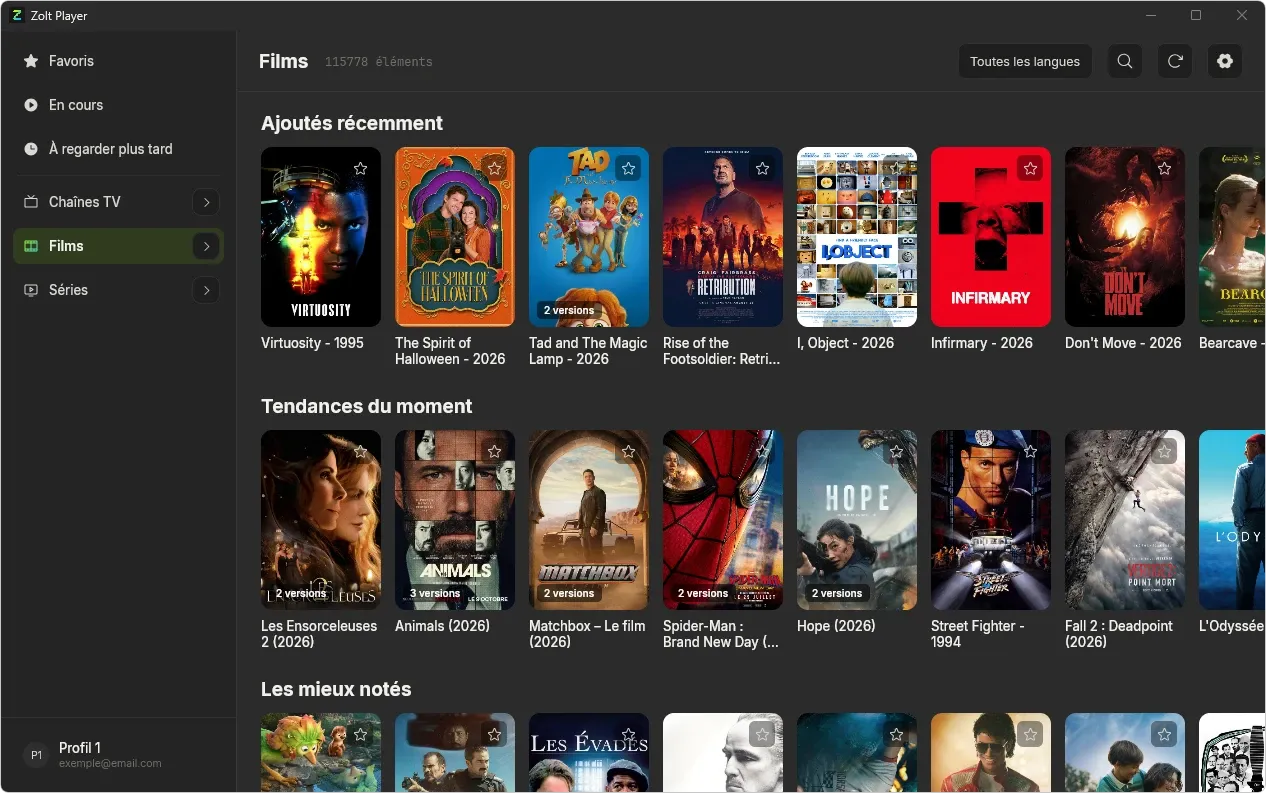
Every category opens on a hub of rails, and the full catalog is always one click away.
- Recently added, Trending now, Top rated
- Dubbed, original and subtitled versions grouped on a single page
- Language filter across the whole catalog
- Global search with Ctrl F or ⌘F
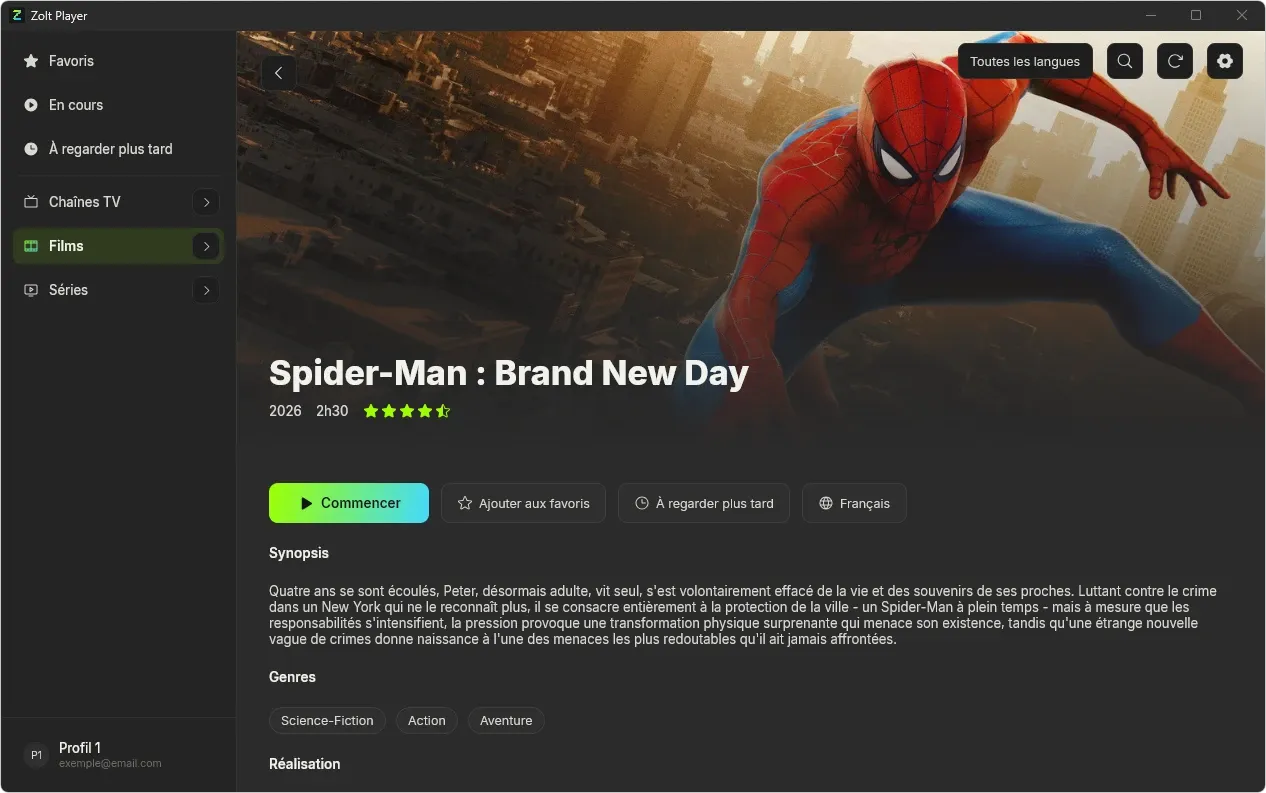
Synopsis, cast, trailers.
Every movie and series automatically gets a real details page from TMDB. Nothing to set up.
- Pick up where you left off
- Favorites and Watch later in one click
- Recommendations on every page
Everything you need. Nothing more.
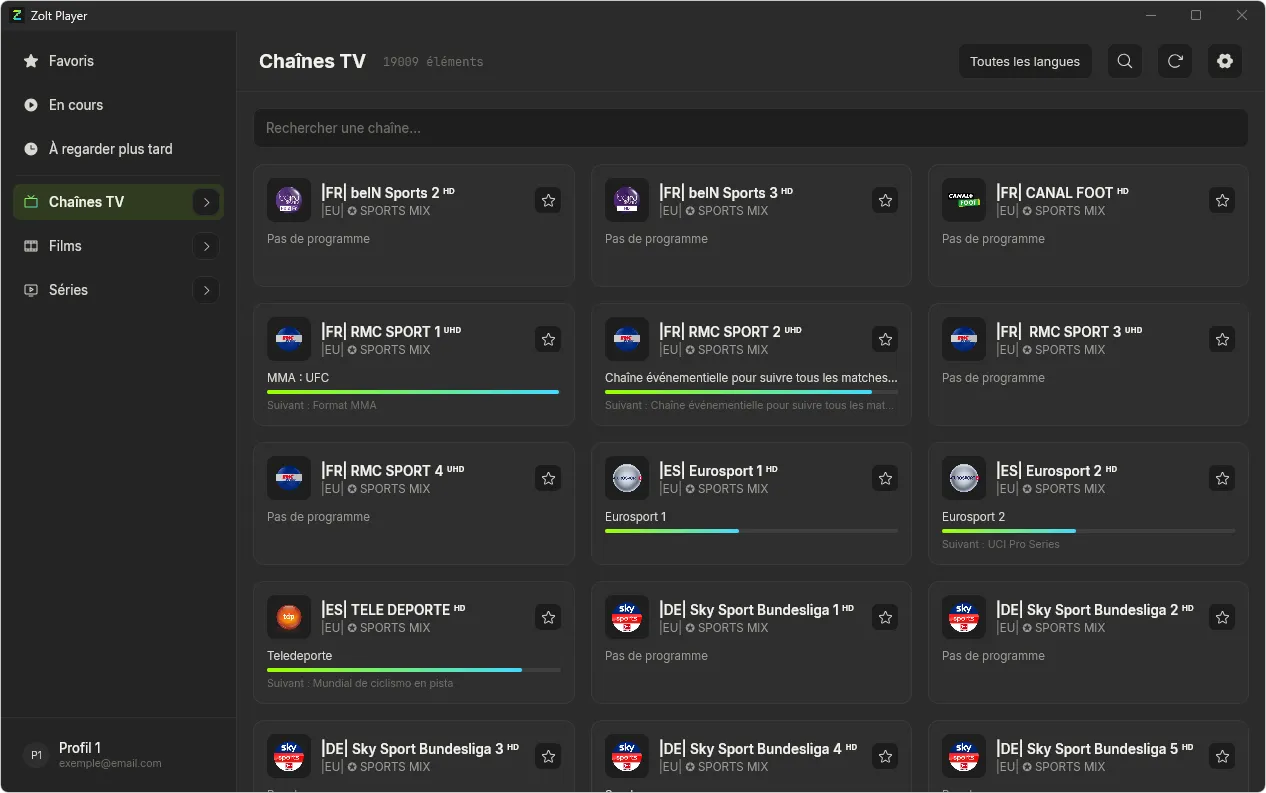
Live TV, with the schedule
What's on now, its progress and what's next, on every channel.
Automatic resume
Continue watching keeps your position, movie by movie, episode by episode.
Favorites
Channels, movies and series in one place, at the top of the sidebar.
One profile per person
Everyone gets their own favorites and progress, on the same source.
Multiple sources
Save several providers and switch to the one you want.
Optional sync
With a Zolt account, find everything on all your devices. Without one, everything stays local.
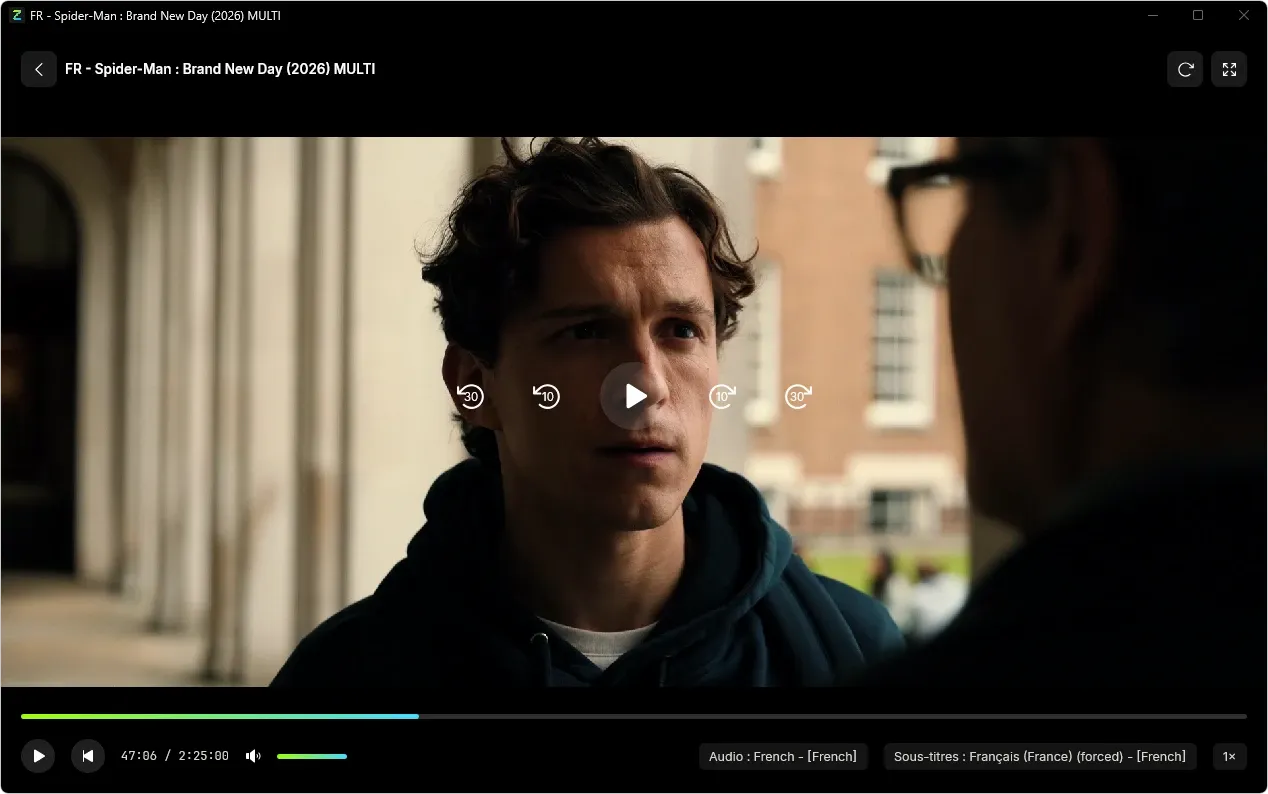
A player that gets out of the way.
A dedicated, black, distraction-free window. Controls appear when you move the mouse and fade out after three seconds.
- Audio tracks, subtitles and playback speed
- Skip back and forward 10 or 30 seconds
- Fullscreen and stream refresh
Your catalog, soon in your pocket.
The same favorites, the same progress, synced between your computer and your phone.
Frequently asked questions
What to know before installing Zolt.
Does Zolt provide channels?
No. Zolt is a player: it plays the IPTV subscription you already have with your provider. No content is included.
Which formats are supported?
The Xtream Codes API and M3U / M3U8 playlists.
Which devices does Zolt run on?
Windows 10 and 11 today. macOS, iPhone and Android versions are coming soon.
Where are my credentials stored?
Only on your device. They are only sent to your provider's server.
Do I need an account?
No. The Zolt account is optional and only syncs your sources, favorites and progress across your devices.
Where do movie and series details come from?
From themoviedb.org (TMDB): synopsis, cast, posters and trailers are fetched automatically, with nothing to set up.
Can I add several providers?
Yes. You can save several sources; one is active at a time.
Ready to find it all?
Install Zolt, add your source, and your catalog is ready in seconds.